Best for Beginners: Ubuntu vs Mint vs Fedora (2026)
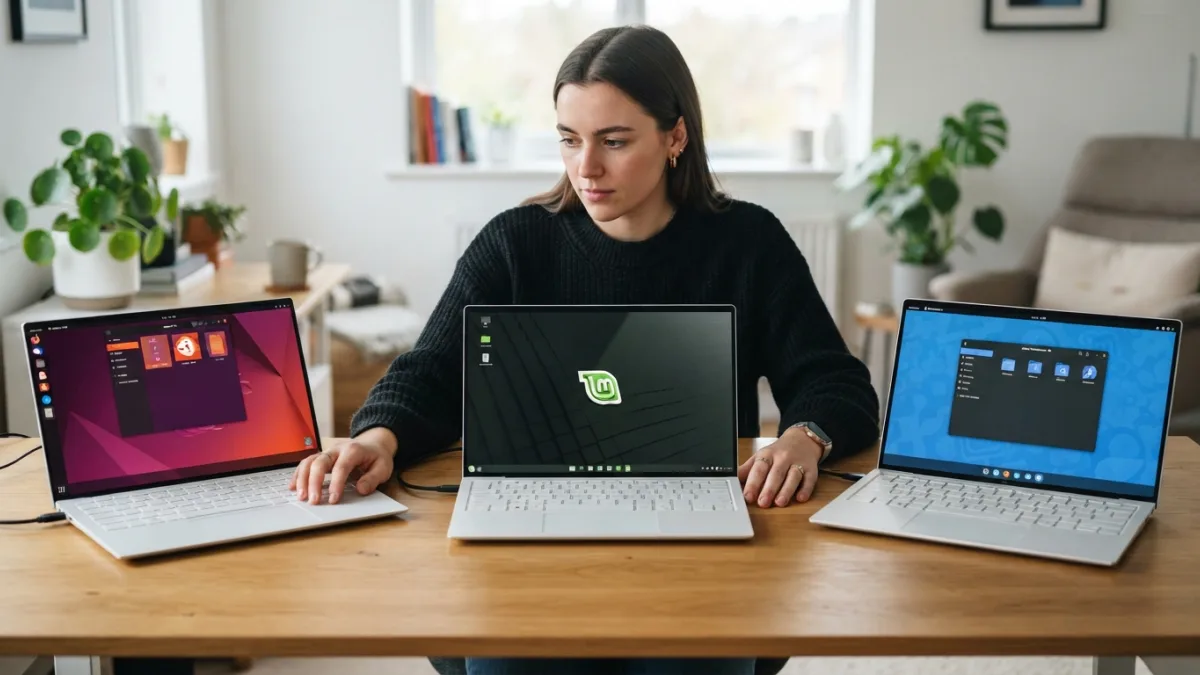
Switching to Linux can feel like standing at a crossroads with three well-lit paths ahead of you, each promising a smoother, faster, and more private computing experience. If you’re trying to figure out which is best for beginners among Ubuntu, Linux Mint, and Fedora, you’re not alone. These three distributions dominate recommendation lists, YouTube tutorials, and forum threads for good reason: they’re stable, well-supported, and don’t require a computer science degree to install. But they’re not identical, and the differences matter more than you might expect when you’re just starting out.
This guide breaks down each option in plain language, comparing what actually matters to someone who has never touched a terminal window before. We’ll look at ease of installation, software availability, visual design, hardware compatibility, and long-term support, because a beginner-friendly linux distro needs to hold your hand a little without making you feel like you’re stuck in training wheels forever. By the end, you should have a clear sense of which system fits your habits, your hardware, and your patience level. If you want to dig deeper, our guide on How to Choose the Right Linux Version for Beginners covers this in more detail. This is a common part of dealing with best for beginners, and it is worth keeping in mind.
What Makes a Linux Distribution Beginner Friendly?
Before comparing Ubuntu, Mint, and Fedora directly, it helps to define what “beginner friendly” actually means in practice. A good starting distro should install without drama, recognize your Wi-Fi card and printer automatically, and offer a software center where you can find apps without typing commands. It should also have an active community, so when something breaks at 11pm, a quick search turns up an answer instead of silence. Documentation quality counts too. Some distributions assume you already know Linux jargon, while others explain things as if you’re learning a new language, which, in a sense, you are. Many people run into this exact issue with best for beginners at some point.
Another factor beginners often overlook is release philosophy. Some distros update constantly with the newest software versions, which sounds appealing but can introduce instability. Others prioritize a calmer, more predictable experience where things simply keep working. Neither approach is wrong, but knowing which one suits your tolerance for occasional hiccups will save you frustration later. With that framework in mind, let’s look at each contender individually. Keeping best for beginners in mind here will save you time later on.
Ubuntu: The Household Name
Ubuntu is probably the first name you heard when someone mentioned Linux, and that popularity isn’t accidental. Backed by Canonical, Ubuntu has spent close to two decades polishing its installer, expanding hardware support, and building a massive online knowledge base. If you search for how to fix almost any Ubuntu problem, you’ll likely find a solution within minutes, often from someone who hit the exact same issue years ago. According to Ubuntu’s official project page, the distribution is used across desktops, servers, and cloud environments, which means the skills you pick up transfer well beyond your home laptop. This detail matters more than it seems once best for beginners comes up again.
The default desktop, GNOME, has a clean and modern look, though it takes some getting used to if you’re coming from Windows, since the taskbar and start menu behave differently. Ubuntu also offers Long Term Support releases every two years, which receive updates for five years, giving you a stable foundation without needing to reinstall your system constantly. The Ubuntu Software Center makes installing apps like a smartphone app store experience, which lowers the intimidation factor considerably for someone new to the platform. This connects closely with another common issue — see How to Fix a Linux Computer That Won't Start for more on that. It is one of those small things that makes best for beginners easier to manage overall.
Linux Mint: The Comfort Choice
Linux Mint was built specifically with newcomers in mind, and it shows in almost every design decision. Based on Ubuntu itself, Mint inherits the same massive software compatibility and hardware support, but wraps it in a desktop environment called Cinnamon that feels instantly familiar to anyone coming from Windows. The start menu, taskbar, and system tray sit exactly where you’d expect, so the learning curve drops sharply compared to other distros. This makes Mint arguably the easiest linux to learn for someone who wants their computer to just work without a steep adjustment period. This is a common part of dealing with best for beginners, and it is worth keeping in mind.
Mint also includes helpful tools out of the box, like a driver manager that detects proprietary graphics and Wi-Fi drivers automatically, plus an update manager that clearly labels which updates are safe and which carry more risk. The Linux Mint project website emphasizes stability over cutting-edge features, which means you won’t always get the newest software the moment it’s released, but you also won’t experience the kind of unexpected breakage that can frustrate first-timers. For many people making the jump from Windows, this balance of familiarity and reliability makes Mint feel less like a leap and more like a small step sideways. Many people run into this exact issue with best for beginners at some point.
Fedora: The Developer’s Playground
Fedora takes a different approach entirely, and it’s worth understanding why before writing it off as too advanced. Sponsored by Red Hat, Fedora Linux distro releases ship with newer versions of the Linux kernel and software packages than Ubuntu or Mint typically offer, which appeals to programmers, tech enthusiasts, and anyone who wants to experiment with the latest features. The default GNOME desktop is clean and minimalist, arguably even more polished visually than Ubuntu’s version, since Fedora works closely upstream with GNOME developers themselves. Keeping best for beginners in mind here will save you time later on.
That said, Fedora’s faster release cycle means updates arrive roughly every six months, and while the system remains stable, you’ll encounter more frequent changes to get used to. According to the Fedora Project’s official about page, the distribution prioritizes open-source software and cutting-edge technology, which is fantastic for learning industry-relevant skills but can occasionally throw a curveball at someone who just wants their laptop to behave predictably. Beginners who enjoy tinkering and don’t mind reading documentation occasionally often end up loving Fedora once they get past the initial setup. You might also find our article on How to Install Software on Linux Without Using the Terminal helpful here. This detail matters more than it seems once best for beginners comes up again.
Ubuntu vs Linux Mint vs Fedora: Side-by-Side Comparison
Sometimes numbers and quick glances communicate more than paragraphs of explanation ever could. The table below summarizes the key differences across the categories that matter most when you’re deciding which distribution to install first. It is one of those small things that makes best for beginners easier to manage overall.
| Feature | Ubuntu | Linux Mint | Fedora |
|---|---|---|---|
| Beginner Friendliness | High | Very High | Moderate |
| Software Freshness | Moderate | Moderate | Very High |
| Desktop Familiarity (vs Windows) | Moderate | High | Moderate |
| Community Support | Very Large | Large | Large |
| Release Frequency | Every 6 months, LTS every 2 years | Based on Ubuntu LTS | Every 6 months |
Which One Is Best for Beginners in 2026?
If you want the honest, no-hedging answer, Linux Mint is generally the best for beginners who are coming straight from Windows and want the gentlest possible transition. Its interface requires almost no relearning, its driver support handles common hardware automatically, and its update system protects you from accidentally breaking your own computer. Ubuntu comes in as a strong second choice, especially if you anticipate needing more community tutorials, professional documentation, or software specifically packaged for Ubuntu, since so much of the Linux world builds with Ubuntu compatibility in mind first. This is a common part of dealing with best for beginners, and it is worth keeping in mind.
Fedora, meanwhile, suits a different kind of beginner: someone who’s curious, patient, and interested in eventually moving toward software development, system administration, or just wants exposure to the same technology used in many professional and enterprise environments. It’s not that Fedora is harder to install or use day-to-day, but its philosophy of staying current means you’ll bump into more terminology and occasional adjustments sooner than you would on Mint. Whichever you pick, remember that switching between distributions later is entirely possible, and many long-time Linux users started on one system before eventually settling on another that better matched their evolving needs and comfort with the command line. Many people run into this exact issue with best for beginners at some point.
Frequently Asked Questions
Is Linux Mint easier than Ubuntu for beginners?
Yes, generally speaking. Mint’s Cinnamon desktop closely resembles the traditional Windows layout, which reduces the learning curve for new users. Ubuntu is still beginner friendly, but its GNOME desktop requires slightly more adjustment. For a related walkthrough, check out How to Install Linux Alongside Windows (Dual Boot). Keeping best for beginners in mind here will save you time later on.
Can I switch from Ubuntu to Fedora later without losing my files?
You can, though it requires backing up your personal files first since switching distributions typically means reinstalling the operating system. Cloud storage or an external drive makes this transition much smoother. This detail matters more than it seems once best for beginners comes up again.
Does Fedora support the same software as Ubuntu?
Mostly, yes. Most popular applications are available on both, though Ubuntu sometimes has slightly broader third-party support since more developers package software specifically for it first. It is one of those small things that makes best for beginners easier to manage overall.
Which distro has better long-term support for older laptops?
Linux Mint and Ubuntu’s LTS releases are both excellent choices for older hardware, since they prioritize stability over the newest features and tend to run lighter than Fedora’s more frequently updated system. This is a common part of dealing with best for beginners, and it is worth keeping in mind.
Do I need to know how to use the terminal to use these distros?
No, all three offer graphical tools for installing software, updating your system, and managing settings. The terminal becomes useful as you grow more comfortable, but it’s not required for everyday use.