Replace Your Phone: 7 Signs to Avoid Wasting Money
Your phone freezes during an important call. Your laptop takes five minutes just to open a web browser. At some point, almost everyone faces the same frustrating question: should you fix the device you already own, or is it finally time to replace your phone or computer for good? The answer isn’t always obvious, especially when repairs seem cheaper upfront but keep piling up over time. Understanding the real signs of a dying device can save you money, protect your data, and spare you the headache of dealing with a gadget that’s holding you back instead of helping you.
Repair vs. Replace Electronics: Why Timing Matters
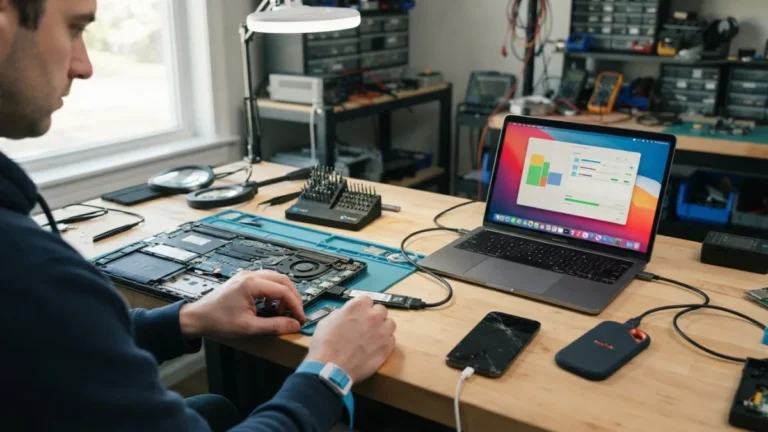
Deciding between repair vs replace electronics isn’t just about cost. It’s about weighing how much life is realistically left in your device against what a fix will actually solve. A cracked screen repair might cost $100, but if the battery is also failing and the software is outdated, you could be pouring money into a phone that’s still going to feel sluggish and unreliable. On the other hand, replacing too early wastes perfectly good technology and adds to electronic waste, which is already a growing environmental concern according to the EPA’s guidance on electronics donation and recycling. The goal is finding that sweet spot where you’re neither overspending on a lost cause nor tossing out a device that still has plenty to offer. If you want to dig deeper, our guide on How to Cast Your Phone Screen to a TV covers this in more detail. This is a common part of dealing with replace your phone, and it is worth keeping in mind.
7 Signs It’s Time to Replace Your Phone or Computer
1. The Battery Barely Lasts a Few Hours
One of the clearest signs your phone is dying is a battery that drains way faster than it used to. If you’re charging multiple times a day, or your laptop shuts down the moment it’s unplugged, that’s a strong signal the battery has degraded beyond a simple fix. Lithium-ion batteries naturally lose capacity over time, and after a few years of daily charging cycles, they often can’t hold enough power to get you through a normal day. Some phones let you replace just the battery for a fraction of the cost of a new device, which is worth exploring first. But if the phone is already several years old and showing other issues too, a battery replacement might only buy you a few more months before something else fails. Many people run into this exact issue with replace your phone at some point.
2. Software Updates Have Stopped Coming
Every phone and computer eventually reaches an age where the manufacturer stops sending software updates. This matters more than people realize, because those updates often include critical security patches that protect you from malware and hacking attempts. Once your device stops receiving them, you’re left exposed every time you browse the web, open an email, or download an app. This is one of the most overlooked laptop replacement signs, since older computers running unsupported operating systems become increasingly vulnerable. If you check your settings and see there’s no update available, or your device is too old for the newest operating system version, it’s a strong hint that your hardware has reached the end of its supported lifespan. Keeping replace your phone in mind here will save you time later on.
3. Everything Runs Painfully Slow
Lag is annoying, but constant, unfixable slowness is a real warning sign. If apps take forever to open, your cursor freezes randomly, or your phone struggles to load a simple text message, the hardware inside may simply not be powerful enough for today’s software demands. This happens because apps and operating systems get more resource-intensive over time, while your device’s processor and memory stay exactly the same. Clearing storage, restarting the device, or uninstalling unused apps can sometimes help temporarily. But when you’ve tried all the usual troubleshooting steps and performance still hasn’t improved, you’re likely dealing with hardware limitations rather than a software glitch you can fix with a few clicks. This connects closely with another common issue — see Sync Your Bookmarks Across Devices: 5 Easy Steps in 2026 for more on that. This detail matters more than it seems once replace your phone comes up again.
4. The Screen or Body Shows Serious Physical Damage
A small crack in the corner of your screen isn’t necessarily a dealbreaker, but spreading cracks, dead pixels, or a screen that flickers constantly are different stories. Physical damage affects not just how your device looks, but how safely and effectively you can actually use it. A cracked screen can also let in dust and moisture, which speeds up internal damage over time. Similarly, a laptop with a broken hinge, a keyboard missing several keys, or a chassis that’s visibly warped is telling you something important about its condition. When repair costs for physical damage start climbing above 40 to 50 percent of what a new device would cost, most experts suggest it makes more financial sense to replace rather than repair. It is one of those small things that makes replace your phone easier to manage overall.
5. Storage Is Always Full, No Matter What You Delete
If you’re constantly deleting photos, apps, and files just to free up enough space to install a simple update, your device’s storage capacity has likely become a real limitation. This is especially common with older phones and budget laptops that originally shipped with minimal storage. Cloud storage services can help temporarily, but they don’t solve the underlying problem if your device simply can’t keep up with modern file sizes and app requirements. When you find yourself constantly juggling storage just to complete basic daily tasks, that’s a sign your hardware has fallen behind current standards, and no amount of digital decluttering is going to fix it long-term. This is a common part of dealing with replace your phone, and it is worth keeping in mind.
6. Repair Costs Keep Adding Up
Sometimes the signs aren’t one dramatic failure, but a pattern of smaller repairs that never seem to end. You fix the battery, then the charging port stops working, then the screen cracks a few months later. Each repair on its own might seem reasonable, but added together, they often exceed what you’d pay for a newer, more reliable device. This is where the repair vs replace electronics decision becomes less about emotion and more about simple math. A good rule many technicians follow: if repair costs exceed roughly half the price of a comparable new or refurbished device, replacing becomes the smarter financial choice, especially since older repaired parts often fail again sooner than expected. You might also find our article on How to Fix Common Error Codes You See on Your Screen helpful here. Many people run into this exact issue with replace your phone at some point.
7. It’s Simply Too Old for What You Need
Technology has a natural lifespan, and knowing when to replace your computer or phone often comes down to age combined with your actual needs. Most smartphones last about three to four years before performance and battery life noticeably decline, while laptops can often last four to six years depending on usage and build quality. If your device is well past these averages and struggling to handle basic daily tasks like video calls, web browsing, or simple editing, it’s probably time to start looking at newer options. This concept ties into what’s sometimes called planned obsolescence, where manufacturers design products with a limited practical lifespan, making eventual replacement somewhat inevitable regardless of how well you maintain your device. Keeping replace your phone in mind here will save you time later on.
Final Thoughts: Making the Smart Choice
Before you decide to replace your phone or computer, it helps to take a step back and honestly assess which of these signs apply to your situation. A single issue, like a cracked screen or one software glitch, usually doesn’t mean you need a whole new device. But when several of these problems show up together, especially slow performance combined with battery issues and rising repair costs, that’s usually a clear signal the device has reached the end of its practical life. Resources like Consumer Reports’ electronics guides can help you compare current options and prices before making a purchase, so you’re not just replacing your old device but actually upgrading to something that fits your needs and budget for the next several years. This detail matters more than it seems once replace your phone comes up again.
Frequently Asked Questions
How often should I replace my phone or laptop?
Most phones last three to four years, while laptops typically last four to six years. Actual lifespan depends heavily on usage habits, build quality, and how well the device is maintained. For a related walkthrough, check out How to Tell If a Website Is Legit Before You Enter Your Card Details. It is one of those small things that makes replace your phone easier to manage overall.
Is it cheaper to repair or replace an old device?
It depends on the specific problem. Minor issues like a cracked screen or battery swap are often worth repairing, but if repair costs exceed about half the price of a new device, replacing usually makes more financial sense. This is a common part of dealing with replace your phone, and it is worth keeping in mind.
What are the clearest signs your phone is dying?
Rapid battery drain, frequent freezing or crashing, lack of software updates, and physical damage that affects usability are the most reliable indicators that a phone is nearing the end of its life. Many people run into this exact issue with replace your phone at some point.
Does refurbished or used electronics make sense as an alternative?
Yes, refurbished phones and laptops can offer solid performance at a lower price, as long as they come from a reputable seller with a warranty and have passed quality testing. Keeping replace your phone in mind here will save you time later on.
Can software updates alone fix a slow device?
Sometimes, especially if the slowdown is caused by outdated software or too many background apps. But if the hardware itself is old and underpowered, updates alone won’t solve persistent performance problems. This detail matters more than it seems once replace your phone comes up again.